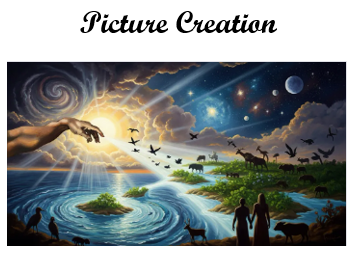
Lutheran Hub's "Picture Creation" page appears to be a curated reference page intended to help users find tools for creating images, likely emphasizing AI-based picture-generation services rather than providing image creation directly on the site. In the same way its related Audio/Video-to-Text page organizes free and freemium external resources by purpose, this page serves as a practical starting point for people who want to explore platforms that can generate pictures from written prompts, edit existing images, or produce visuals for educational, personal, church, or creative projects.
The webpage consists of links to websites that provide functionality for generating pictures. The linked images on this webpage are used to access those picture generation websites.
The descriptions below were generated with the assistance of the Perplexity chatbot.
 Perplexity can create custom AI-generated pictures directly from a written prompt: sign in, describe the image you want in clear detail, and the platform automatically generates a visual within the conversation. Effective prompts specify the subject, setting, artistic style, composition, lighting, colors, and desired format—for example, "Generate a cinematic watercolor illustration of a red barn in an autumn field at sunrise, wide landscape composition." Users can select an image-generation model in Settings > Preferences, refine an image by issuing a more specific follow-up prompt, or use Regenerate to create an alternative version, although each regeneration counts against the account's image-generation allowance. Access scales by plan, and Perplexity states that pictures made through Free, individual Pro, and Max plans are licensed for personal, non-commercial use.
 Craiyon is a browser-based AI image generator that lets users create original artwork, illustrations, and photo-style visuals by entering a text description. Its simple workflow invites users to type a prompt, choose or refine the desired look, generate several image options, and then select, download, or iterate on a preferred result; prompts can also include negative terms to indicate elements the image should avoid. The service offers a free, ad-supported way to experiment with text-to-image creation, while paid plans offer benefits such as faster generation, higher-quality downloads, fewer ads, and additional privacy or usage features. Formerly known as DALL.E mini, Craiyon is designed to make AI-assisted visual creation accessible to casual users, students, meme makers, and creators without requiring conventional graphic-design skills.
 Grok's picture-creation capability, known as Grok Imagine, uses generative AI to turn a plain-language description into an original image and can also edit or restyle existing images through follow-up instructions. To create a strong result, users should describe the subject, setting, composition, lighting, color palette, mood, and preferred medium - for example, "Create a photorealistic wide-angle image of a cozy bookstore café on a rainy evening, warm window light, cinematic atmosphere." Grok can generate several images from a prompt, supports controls such as aspect ratio, resolution, and quality in its API, and enables iterative creation: a user can ask it to change clothing, remove an object, alter the background, or convert a realistic photo into an illustration without starting over. The feature is available through Grok's Imagine experience and xAI's developer tools, allowing both casual users and developers to create, edit, and incorporate AI visuals into conversations, products, and creative projects.
 Bing Image Creator is Microsoft's free AI image-generation tool, available through Bing, the Bing mobile app, Copilot, and Microsoft Designer, that creates original visuals from a written description. Users sign in with a Microsoft account, enter a detailed prompt, and receive a set of AI-generated image options; clear prompts work best when they name the subject, action, setting, style, mood, and lighting - for example, "A close-up photorealistic astronaut in a glowing plasma suit putting on a helmet at dusk, bright cinematic colors." Images can then be downloaded, saved, shared, or opened in Microsoft Designer for further refinement into social-media posts, invitations, graphics, and other designs. New users receive 15 boosted generations for faster processing, while generations made without boosts may take longer; Microsoft stores created images for up to 90 days.
 Microsoft Designer is an AI-powered graphic-design and image-editing app that enables users to create original pictures from text prompts and turn them into finished visuals for social posts, invitations, logos, banners, digital postcards, and other projects. After signing in with a personal Microsoft account, users can open the Create with AI area, describe the picture they want, and select Generate to receive multiple image options; effective prompts identify the subject, setting, style, colors, mood, and composition, such as "a bright, modern flat illustration of a community garden, green and yellow palette, square social-media post." A chosen image can be downloaded, copied, or refined in Designer with tools to resize and crop it, add text or templates, enhance resolution, remove or blur backgrounds, erase unwanted objects, move selected elements, apply filters, frame or restyle the image, and adjust its layout for a particular platform. Users can also upload an existing photograph and use the same AI editing features, making Designer useful both for generating artwork from scratch and polishing images without advanced design experience.
 Microsoft Copilot can create original AI pictures from a natural-language prompt and can also transform an uploaded image through a chat-based editing request. In the Copilot app or website, users can simply describe the desired picture with details such as subject, setting, composition, lighting, mood, and artistic style - for example, "Create a photorealistic wide image of a modern public library at sunset, warm light, people reading near tall windows" - and Copilot generates image options in response. Users may then continue the conversation to refine the result, such as asking to remove background people, switch the scene to a forest, adjust colors, or change the visual style. In the Microsoft 365 Copilot app's Create section, image making also offers explicit controls for a reference image, styles such as photorealistic, surrealism, or anime, available organizational brand colors, and square, portrait, or wide formats, making the feature useful for both quick creative exploration and work-ready visual assets.
 ChatOn is a personal AI chatbot and virtual-assistant service that provides a single interface for interacting with multiple large language models, helping users ask questions, draft and revise writing, brainstorm ideas, summarize information, analyze documents, solve coding or math tasks, and create AI-generated images. The web and mobile service offers a free plan with access to selected models for everyday tasks, while its Premium tier expands access to more advanced models, faster and more detailed responses, unlimited messaging, and image-generation features. ChatOn is designed for consumer use, with a quick registration process before chatting, and promotes itself as an all-in-one productivity assistant for students, writers, bloggers, and professionals rather than a specialized business platform.
 Pollo AI is an all-in-one AI creative suite for marketers, creators, and other users who want to generate, edit, and enhance images and videos without advanced production skills. The platform brings together its own Pollo 1.6 model with a selection of third-party image and video models, allowing users to create videos from text prompts, animate still images, generate consistent character videos, transform existing footage into more than 30 visual styles, and produce text-to-image or image-to-image artwork. It also includes more than 150 viral video and photo effects, plus practical editing tools for upscaling, enhancing, and customizing visuals for social media, campaigns, entertainment, or professional projects. Pollo AI promotes a simple, browser-based workflow - users choose a creation mode, enter a prompt or upload media, and generate a result - and offers free trials alongside options intended for more extensive or commercial creative use.
 Lovart is an AI design agent that automates the creative process from an initial concept through finished visual assets, allowing users to generate professional-style images, videos, 3D elements, and other designs from simple prompts. Rather than functioning only as a single-image generator, it positions itself as a broader design workspace where people can explore community-created projects for inspiration, develop ideas, and produce assets for creative or professional use without needing extensive design experience. Lovart emphasizes immediate access and unrestricted experimentation, aiming to help individuals and teams move more quickly from a rough idea to a polished, multi-format design outcome.
 Hailuo AI's Image Generation tool is an online text-to-image feature that enables users to create original pictures by describing a scene, subject, or visual style in a written prompt. It is part of Hailuo AI's broader generative-media platform, which focuses on helping creators develop images and video from simple ideas rather than requiring traditional illustration or design software. Users can use descriptive prompts to guide the AI toward particular subjects, settings, moods, colors, or artistic treatments, then use the generated image as a creative asset or as source material for additional AI video creation. The specific page could not be retrieved and no indexed official page details were available through search, so this summary is limited to the tool’s title and its relationship to Hailuo AI's image-and-video-creation platform.
 Midjourney is an independent, self-funded AI research lab and creative platform focused on exploring new ways people can think, imagine, and make visual work with artificial intelligence. Best known for its text-to-image generation technology, Midjourney enables users to turn written prompts into highly stylized or realistic images, then refine outputs through variations, upscaling, and iterative prompting, making it popular for concept art, illustration, design exploration, storytelling, and visual ideation. The organization describes its broader mission as expanding the imaginative powers of humanity and is led by David Holz, founder of Leap Motion and a former NASA and Max Planck researcher; it operates as a small, fully distributed team supported by advisors from technology, graphics, and creative-media fields. Product help and community support are centered on Midjourney's Discord channels.
 Diffus is a browser-based AI image-generation platform designed for users who want professional-level control without owning expensive graphics hardware. It provides access to more than 70,000 image models, including checkpoints and LoRAs, so creators can produce a wide variety of visual styles and can also upload and use their own custom models. Its advanced tools include ControlNet and inpainting for guiding composition and selectively changing parts of an image, along with ADetailer and face-restoration features for improving faces and expressions. By combining a large model library, fine-grained editing controls, and cloud-based processing accessible from a web browser, Diffus positions itself as a flexible workspace for artists, designers, and other creators seeking more precise, customizable AI-generated imagery.